🌇 glre





glre is a simple glsl and wgsl Reactive Engine on the web and native via TypeScript, React, Solid and more.


Installation
npm install glre
DocumentationDocs : glre IntroductionAPI : glre API and featureGuide : Creating a scene | Ecosystem⛪️ reev: reactive event state manager🔮 refr: request animation frame | Staying informedgithub discussions welcome✨@tseijp twittertsei.jp articles |
What does it look like?
glre simplifies WebGL2 / WebGPU programming via TypeScript, React, Solid and more. |  |
ESM |
|
|
|
Varying | ||
TSL Or as follows: |
|
|
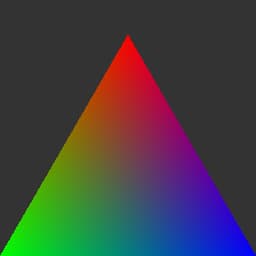 | ||
Uniforms | ||
TSL |
|
|
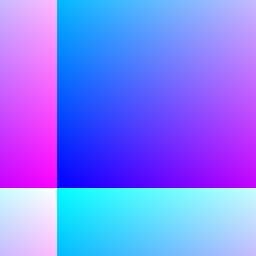 | ||
Attributes | ||
TSL |
|
|
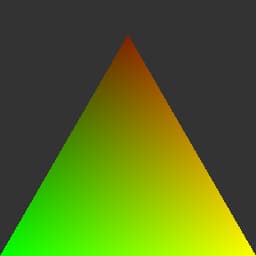 | ||
Multiples | ||
TSL |
|
|
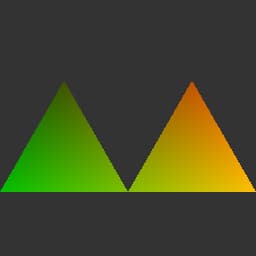 | ||
Textures | ||
TSL |
|
|
 | ||
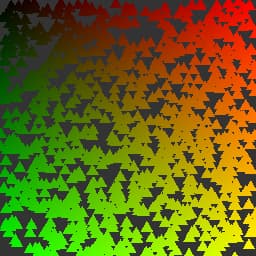
Instancing | ||
TSL |
|
|
 | ||
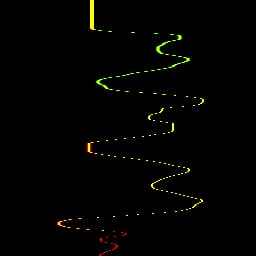
Computing | ||
TSL |
|
|
 | ||
Node System
glre's node system reconstructs shader authoring through TypeScript syntax, dissolving the boundary between CPU logic and GPU computation. Rather than traditional string-based shader composition, this system materializes shaders as abstract syntax trees, enabling unprecedented code mobility across WebGL2 and WebGPU architectures.
// Shader logic materializes through method chaining
const fragment = vec4(fract(position.xy.div(iResolution)), 0, 1)
  .mul(uniform(brightness))
  .mix(texture(backgroundMap, uv()), blend)
The system operates through proxy objects that capture mathematical operations as node graphs, later transpiled to target shader languages. This deconstructed approach eliminates the traditional separation between shader compilation and runtime execution.
Type System Deconstruction
Traditional shader types dissolve into factory functions that generate node proxies:
// Types emerge from function calls rather than declarations
const position = vec3(x, y, z) // Becomes position node
const transform = mat4().mul(modelView) // Matrix composition
const sampled = texture(map, uv()) // Sampling operation
Each operation generates immutable node structures, building computation graphs that exist independently of their eventual compilation target.
Function Composition Reimagined
The Fn constructor dissolves function boundaries, creating reusable computation patterns:
// Functions exist as first-class node compositions
const noise = Fn(([coord]) => {
  return sin(coord.x.mul(12.9898))
    .add(sin(coord.y.mul(78.233)))
    .mul(43758.5453)
    .fract()
})

// Composition becomes transparent
const surface = noise(position.xz.mul(scale)).mix(noise(position.xz.mul(scale.mul(2))), 0.5)
Control Flow Dissolution
Traditional control structures become node compositions, eliminating imperative sequence:
// Conditional logic as expression trees
If(height.greaterThan(waterLevel), () => {
  return grassTexture.sample(worldUV)
}).Else(() => {
  return waterTexture.sample(worldUV.add(wave))
})

// Loops decompose into iteration patterns
Loop(samples, ({ i }) => {
  accumulator.assign(accumulator.add(sample(position.add(offsets.element(i)))))
})
Reactive Uniform Architecture
Uniforms transcend static parameter passing, becoming reactive data channels:
const time = uniform(0) // Creates reactive binding
const amplitude = uniform(1) // Automatic GPU synchronization

// Values flow reactively without explicit updates
const wave = sin(time.mul(frequency)).mul(amplitude)

// Runtime updates propagate automatically
time.value = performance.now() / 1000
Attribute Data Streams
Vertex attributes dissolve into data stream abstractions:
// Attributes become typed data channels
const positions = attribute(vertexData) // Raw data binding
const normals = attribute(normalData) // Parallel stream
const uvs = attribute(textureCoords) // Coordinate mapping

// Streams compose transparently
const worldPosition = positions.transform(modelMatrix)
const viewNormal = normals.transform(normalMatrix)